 |
Watch a Video of this Article |
- Navigate to the Reports Tab.

- Search for the desired report in the Find a Folder box then click on the appropriate folder.
- Click on the Report Name.

- Click Save As.

- Name your report.
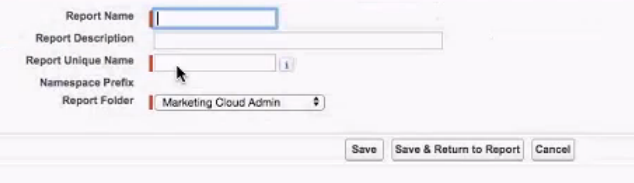
- From the Report Folder dropdown, select either the Unfiled Public Reports or Marketing Cloud Admin.
- Click Save & Return to Report.
- Click Customize.
- Ensure the Contact ID field is on the report.
- Add the Email field if not already on the report.
- Add or modify filters as necessary.
- Click Save.
- Click Run Report.
- Click Save again.