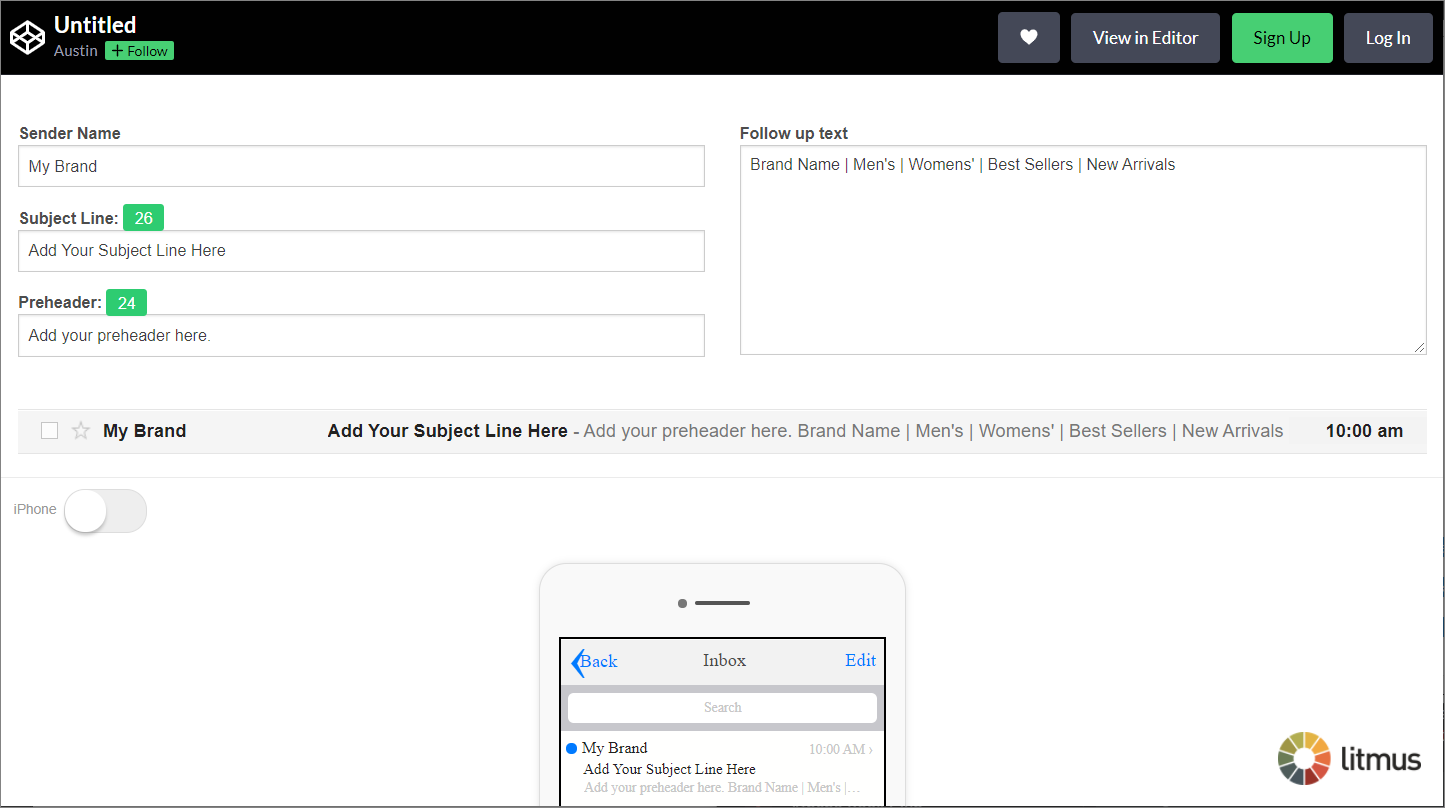
In an email, the preheader is used in support of the subject line to tell customers what your email is about. It is displayed on multiple email clients, but it is especially prominent on mobile clients.
Why is it important? If you do not put anything in your preheader, by default, email clients will display the first text in your email (usually the text to "view this email in a web browser"), which is a missed opportunity for you to encourage engagement. On mobile clients in particular, the preheader can mean the difference between someone opening your email and archiving it – so you generally want it to be something meaningful, like a summary of your offer, not your campaign’s web version message or the remnants of social sharing links. Because believe it or not, they work!
According to Email Guru Elliott Ross, "In my experience, we've implemented it (preheaders) on a number of campaigns and it’s raised open rates, click-throughs and reduced spam complaints."
How do I start including it my emails?
In Marketing Cloud, the preheader field is found directly below the subject line field in Content Builder.

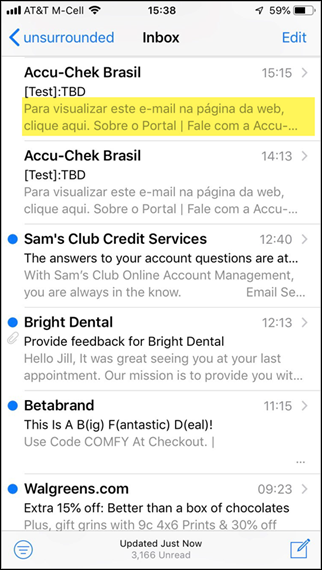
How to optimize the preheader text?
How long should my preheader text be? There are no strict rules on how long the preheader should be. However, on some mobile devices, you won’t be able to see all 100 characters. So, aim to communicate the value in about 30-80 characters.
Write it as an extension of your subject line. Given that the preheader text will appear right after the headline, write it so that the two work together to incentivize a person to click your email.
Experiment with including a call-to-action. I know, there is a varying advice on this matter. Some email experts advise on using preheader only to communicate value; others advocate adding a call to action. Experiment with both approaches to find the one that works best for your audience.
Here's a groovy little online tool from codepen.io to help you preview your preheaders.