I scheduled an email to send at a later date using the guided send process, and now I want to change or cancel it? Where do I find it in Salesforce Marketing Cloud?
Where to find a scheduled depends on the audience you've chosen for the send.
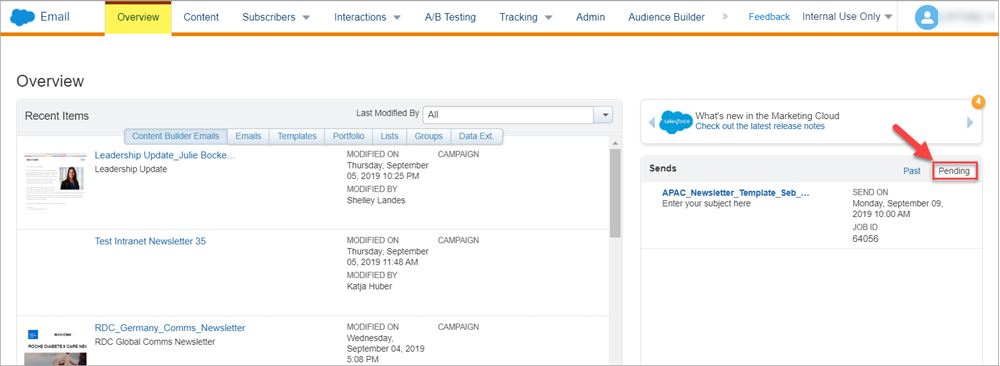
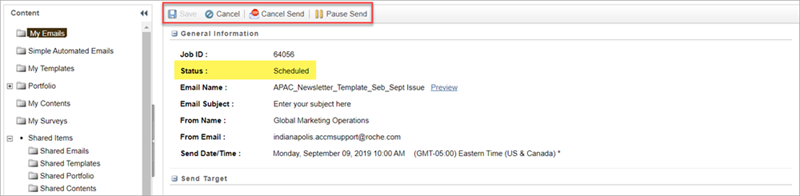
1. Pending Sends to Marketing Cloud Audiences (like lists or standard data extensions) show up under the Email Studio > Overview > Pending Sends.
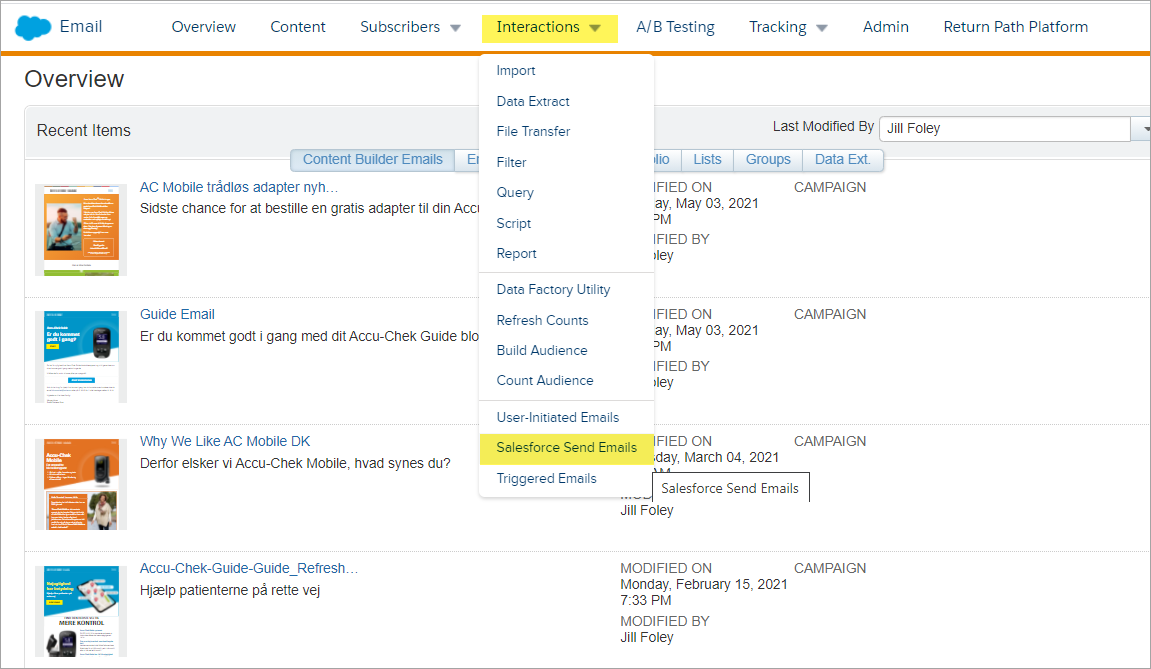
2. Pending Sends to Salesforce Audiences (like reports or campaigns or shared Salesforce Data extensions) show up under Email Studio > Email > Interactions > Salesforce Send Emails.
Click on View Active Sends to see items that have been scheduled.
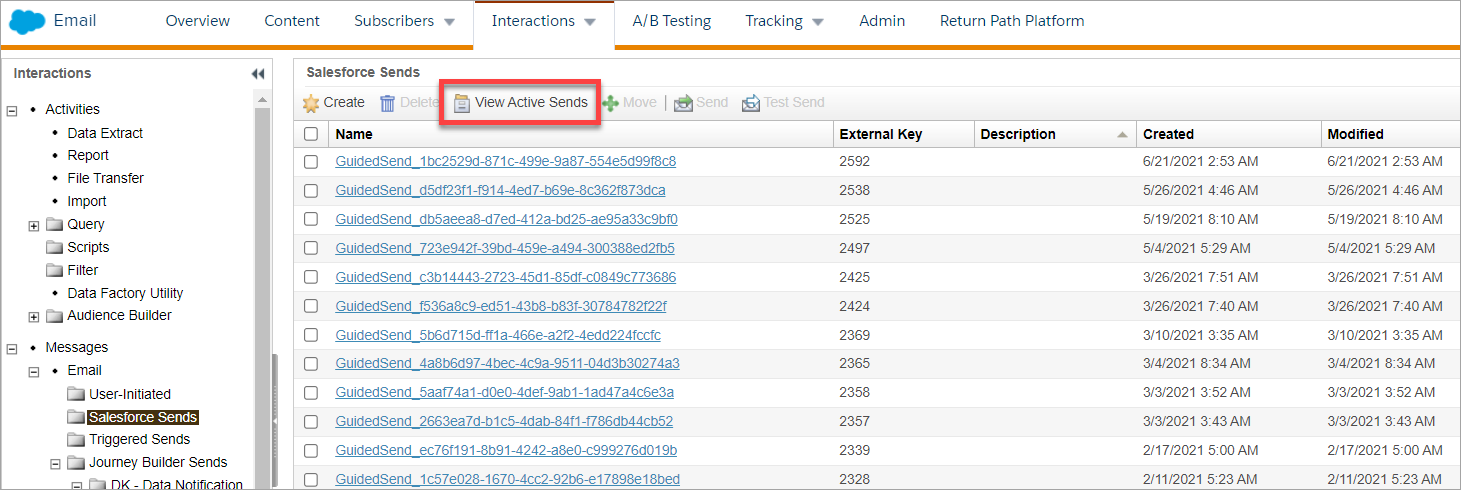
In this location, to cancel the send, simply check the row next to the definition name and the click Cancel Send.

Unfortunately in the Interactions > Salesforce Sends, the email names aren't reader-friendly but you can see more detail when you click the name link.