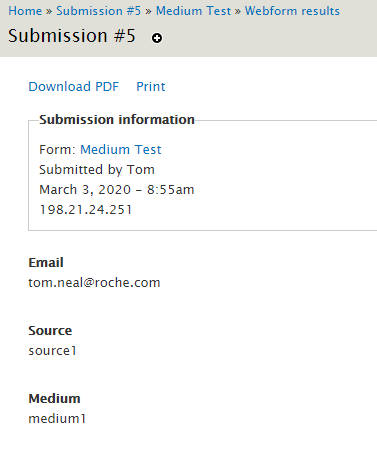
You have planned out your campaign, and have a prepared URL, possibly generated from https://ga-dev-tools.appspot.com/campaign-url-builder/. Now you want to make sure the data from the URL gets saved into your webform submission.
The example URL we will be demonstrating with is: http://accu-chek.ca/medium-test?utm_source=source1&utm_medium=medium1. We will be saving into Source and Medium fields.
1. Make sure however your customers are getting to the webform, that the variables are included in the URL/link. You may need to update links on your site to add the variables on the end of the link.
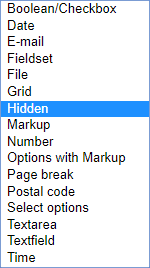
2. Create the fields as Hidden fields.
When adding the new field, select Hidden.
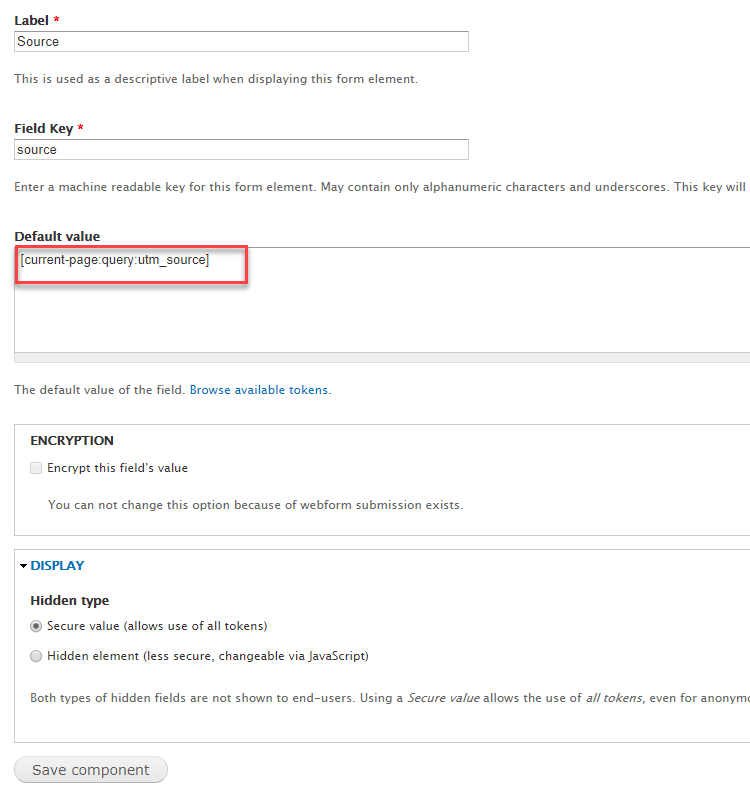
! Add this text in as the default value -> [current-page:query:utm_source]
Make sure you change the part of utm_source to whatever it should be from your URL.
You would create another field for medium. One field per variable.
3. Confirm it is working
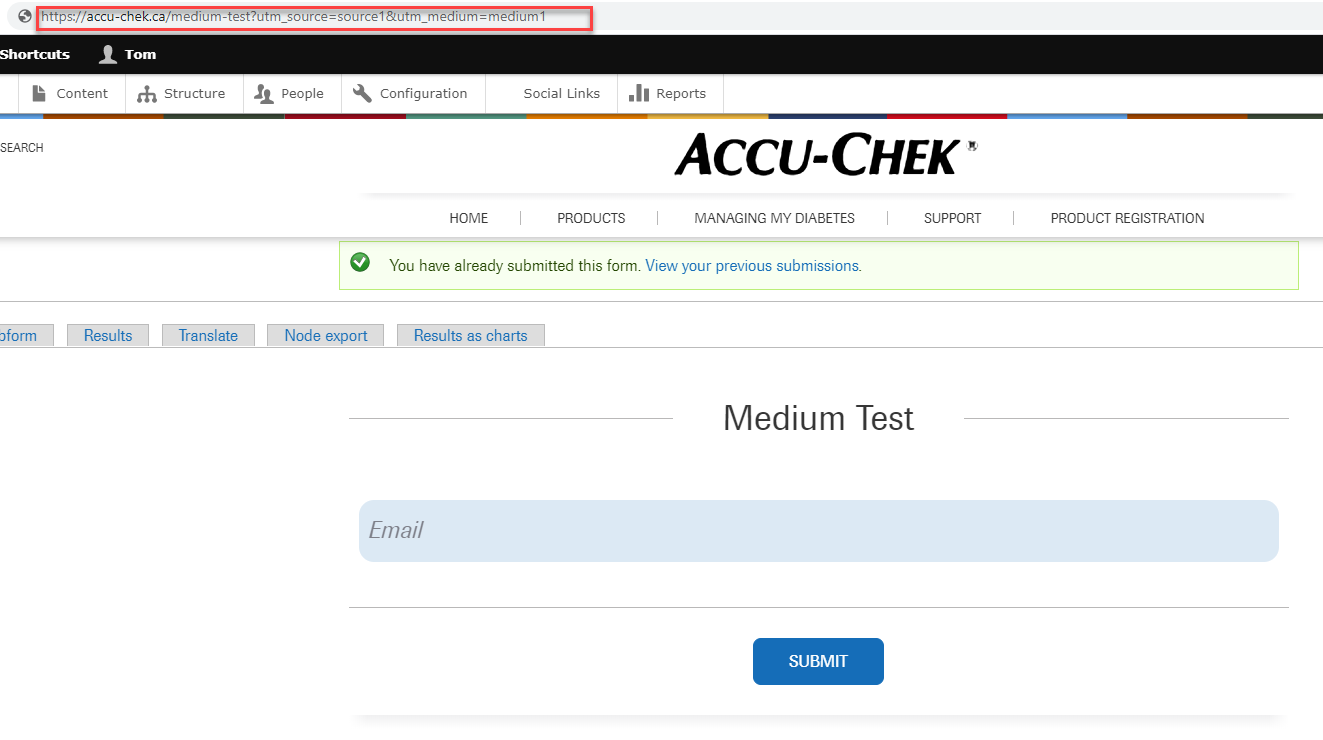
For this test webform, the only field I see is Email. Once I fill it out and submit, I can confirm in the results that the hidden elements were also saved.