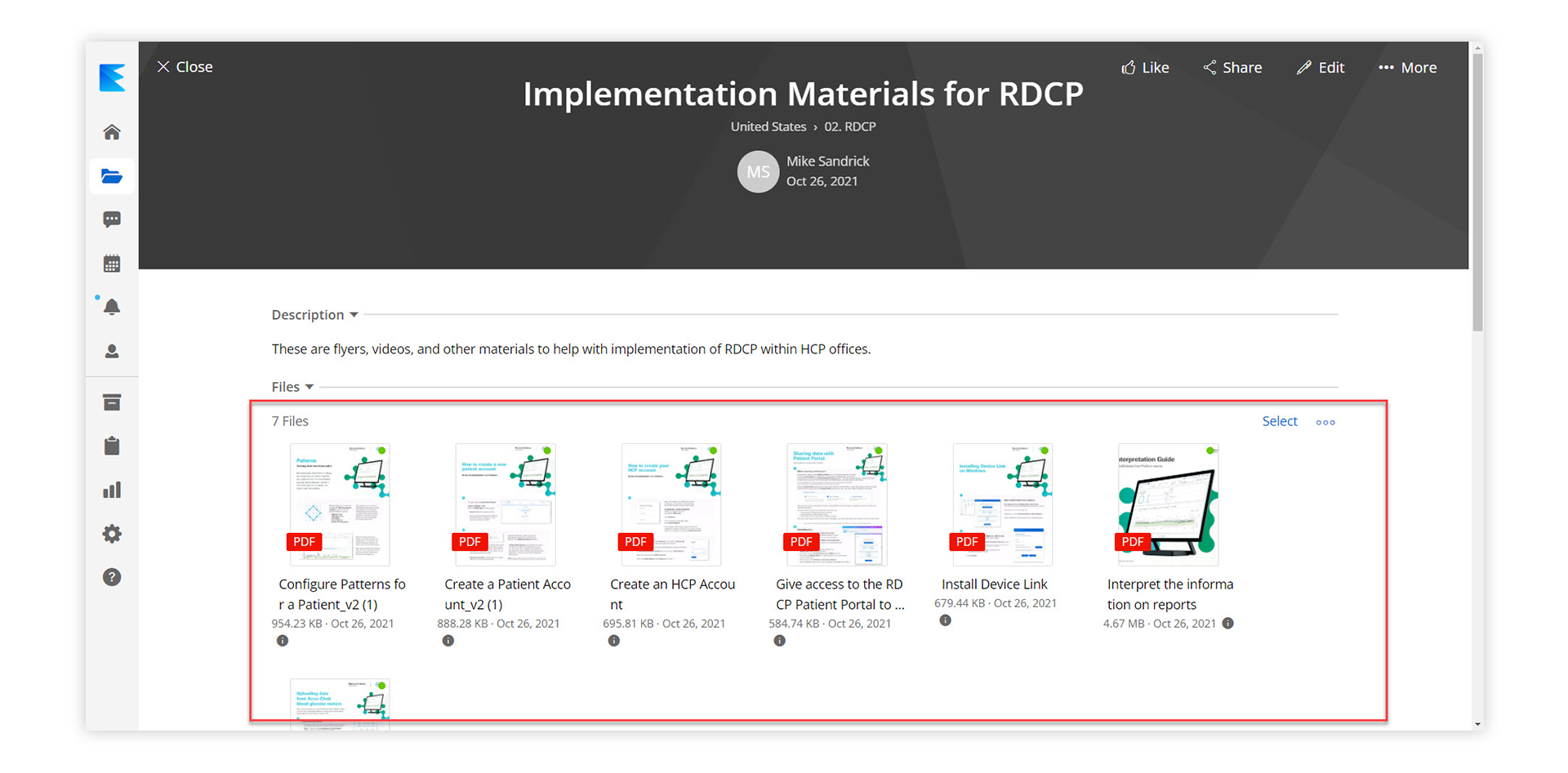
Sometimes it can be difficult to locate a specific file inside of a story. If you are having trouble remembering the file name and you would like to see an image of what the file looks like you can do the following:
Default List View: By default, the system will show all of the files in a story in a verticle list. 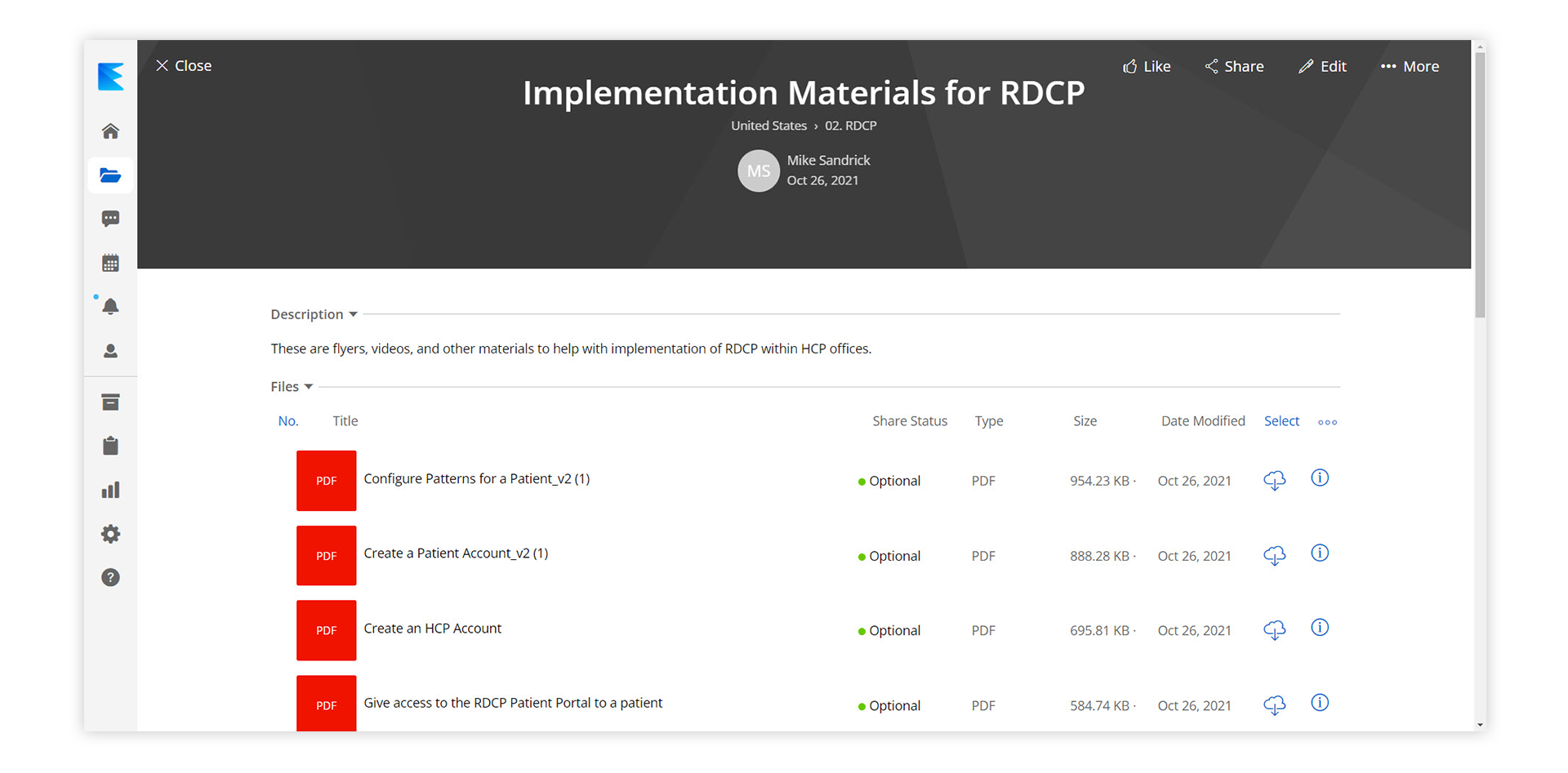
- Navigate To A Story: Once you have a story open you will see the story Title and files below. Click the three dots on the right side of the file section to open up the drop-down menu and select "Toggle Grid".
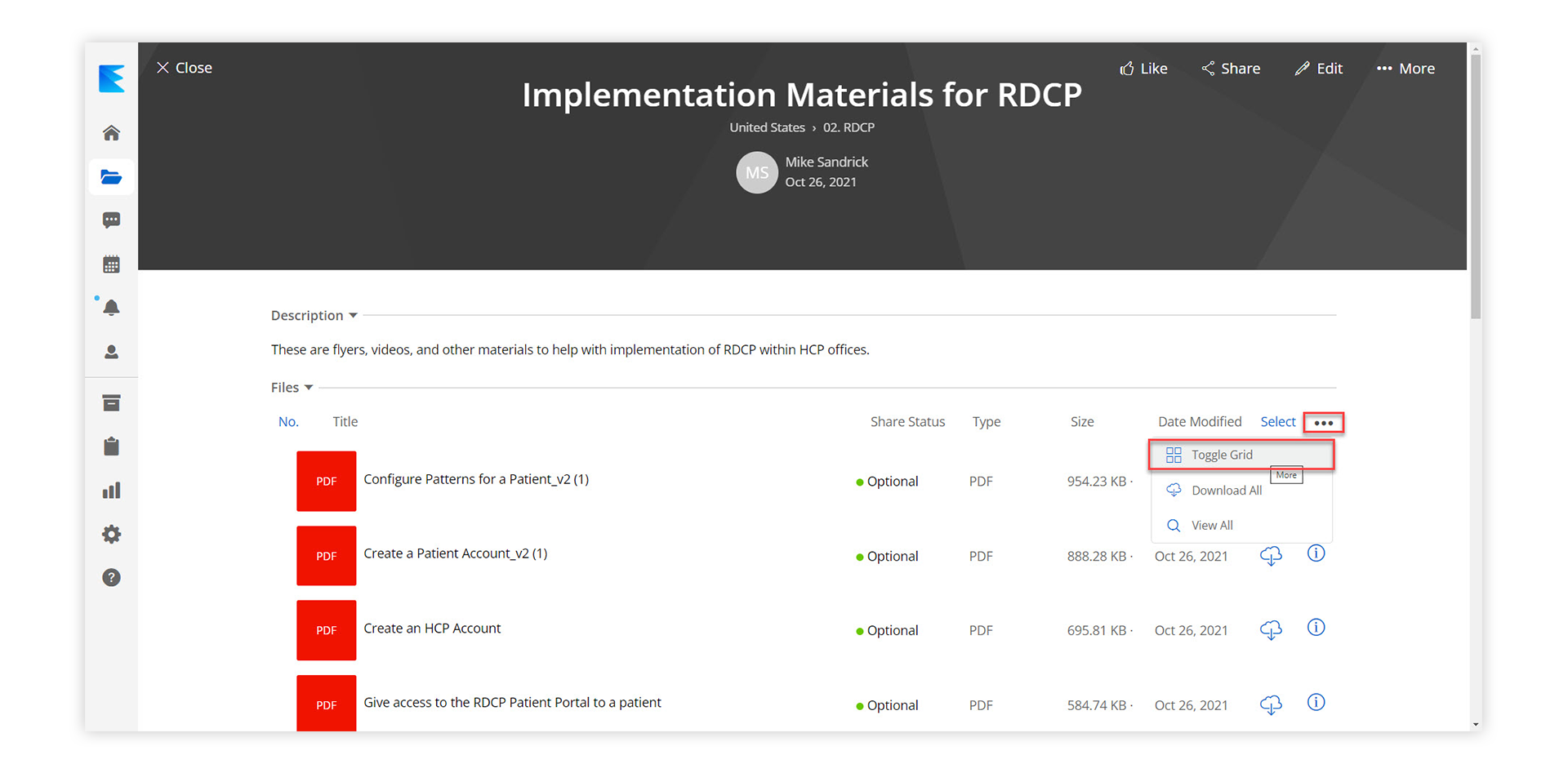
- Select Toggle Grid: By selecting “Toggle Grid” you will now see all the files in the story with a preview image of what the file looks like. (You can always toggle back to the list view if that works better for you)