|
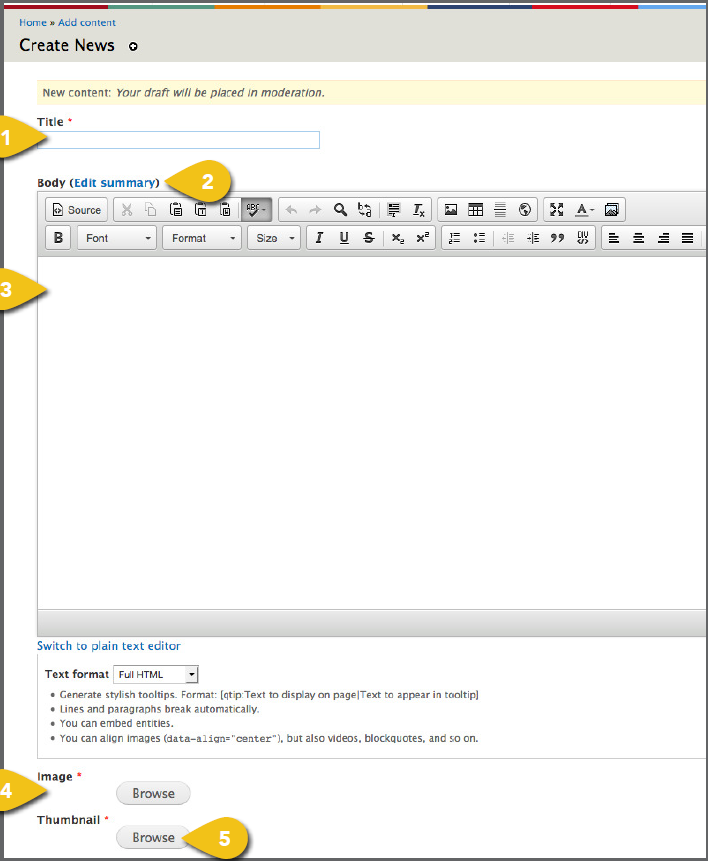
Enter press releases or other news alerts
using a News template. Select Add News
from the Manage Content dropdown, then
follow the steps below.
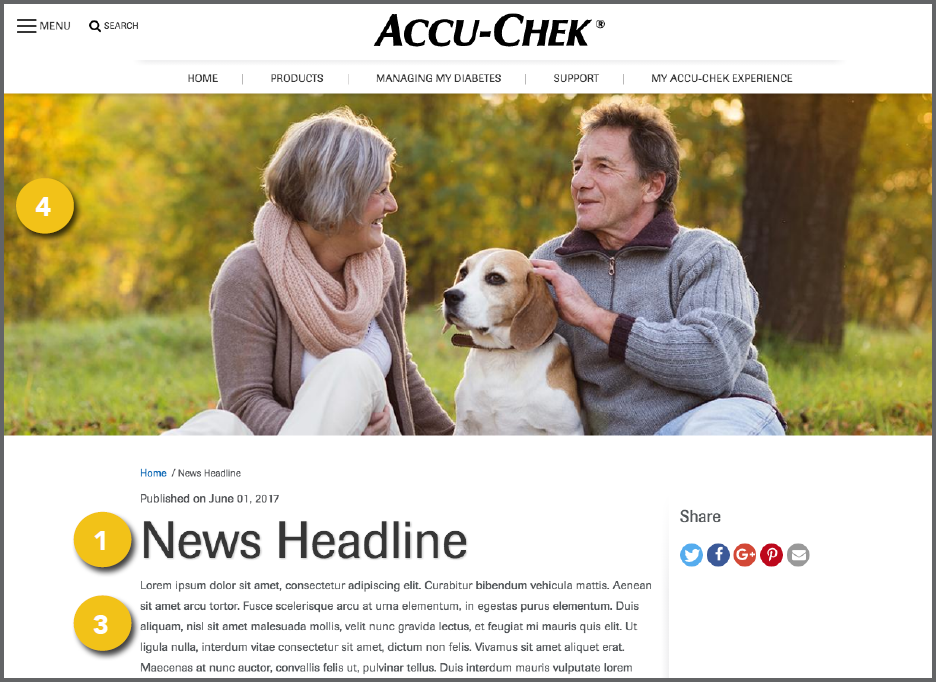
1. Title: Enter a title to appear at the top of
the news page.
2. Summary: You can enter a page summary
that will appear in results that appear when
someone searches within the site. This
can be advantageous for users already
on the site, as it doesn’t need to be SEO optimized or heavily branded. Select Edit
Summary and a new text box will open. Leave this blank to have the system pull a
summary from the body text.
3. Body: Enter the full text here.
4. Image: If you have an image to
accompany the news story, add it
here. Visit Add an Image for detailed
instructions on choosing an image and
entering the information required.
! Use an image with an aspect ratio of
1366x480. If you use an image with another
aspect ratio, it may be stretched or skewed
when it appears on screen.
Thumbnail: Select a thumbnail image to
appear on the News landing page. Visit
Add an Image for detailed instructions
on choosing an image and entering the
information required.
! Use an image with an aspect ratio of 400:400. If you use an image with another aspect ratio, it may be stretched or skewed when it appears on screen.
|