In the post What is Search Engine Optimization (SEO), we mentioned ways to increase the visibility and usefulness of our site content for search engines.
Some of these tactics can be used directly on the site content and structure. The industry calls this “on page optimization". Support tactics in other areas or platforms to promote your site are often called “off-page”. In the image below you can see the ones we will look at in this post.
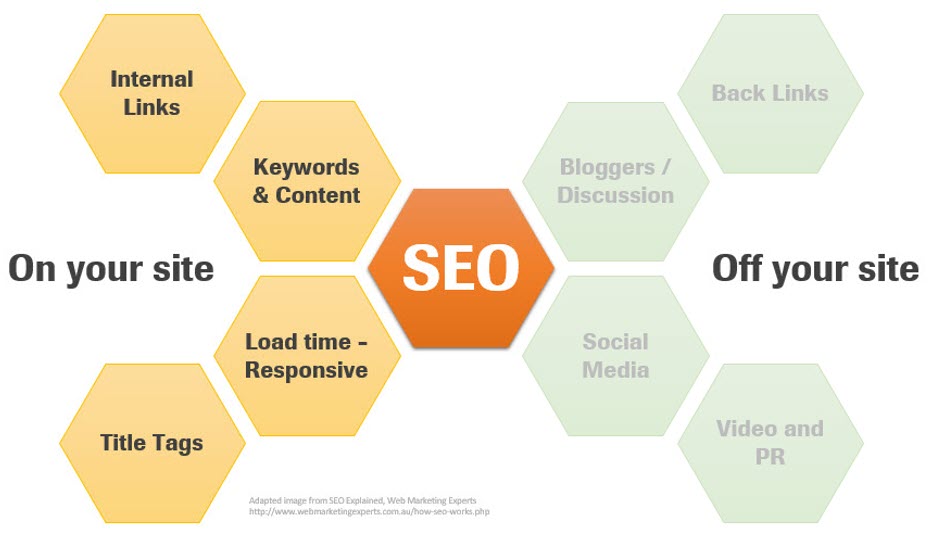
Internal Linking
A good site is easy to navigate. We want to provide an experience where the user can travel to different pages and explore. We also want to make it easy to complete any action they came to the site to do. We want to prevent the user from getting lost or stuck in an area where they don’t have options on where to go next. We are helping users navigate.
By placing links to other pages or areas of the site, we give users options. The content on the site was an investment, and we want to leverage all of it by prompting exploration. Creating links back and forth between internal pages, helps boost a site’s usefulness and search engine authority. You can think of it as a “web of content” that Google views as very helpful.
Keywords & Content
We should have content on the site that is worth reading and provides useful answers to our customer's questions. Use the same words keywords as your customers. Within your content, include the important words and phrases that the customer will be searching for. Try to avoid those terms that are specific to the company but not used by the customer. For example, if the customer is searching for “blood sugar testing is scary” and an article uses the words "It can feel scary to test your blood sugar", Google is going to consider that a very good match. We have written posts on Keywords and the A-B-C’s of Content Creation.
Tagging
An easy way to help Google promote our site is to structure it using “tags”. A tag is a snippet of text that describes a page's content. Tags do not appear on the visible page itself. It is behind-the-scenes source code. So, the user does not see it, but the search engines do. These tags are scanned by crawling bots and deliver more information to the algorithm. The more Google knows about the content, the more visible it will be.
Load time and Response Time
People are impatient. They want every website they land on to appear quickly and completely. We are talking just a few seconds here. If a website takes more than 2-3 seconds to load, it is likely that the user will bounce right off the page. The WCMS team is routinely looking at page load speed and working to improve it. One of the easiest ways for us to help is using imagery or video that loads quickly. An image in a blog article or banner does not need to be the same quality or resolution as a printed piece. A video viewed on a phone or desktop does not need to be the same quality as a TV or big screen.
To learn more, check out these posts: