Logo
Submit a request
Sign in
  1. Global Marketing
  2. Engage Pro Hub
  3. Accessing Engage Pro

Articles in this section

  • REQUEST: Requesting access to Engage Pro
  • BROWSER: Log in via the browser
  • BROWSER: Log in via the browser (New Cloud User)
  • BROWSER: Log in via the browser (Cloud User)
  • WINDOWS: Download the Windows app
  • WINDOWS: Log in to the Windows app
  • WINDOWS: Log in to the Windows app (Cloud User)
  • iOS: Download the iPhone/iPad app
  • iOS: Log in via iPad/iPhone app
  • BROWSER: Log in via the browser (New SSO)

BROWSER: Log in via the browser

Follow

1. Visit https://rdci.app.bigtincan.co.uk/

2. Select the "Enterprise single sign-on" radio button.
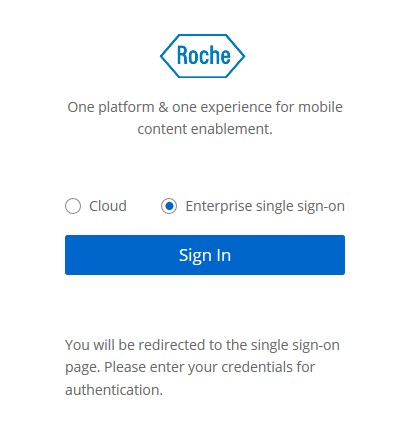
 

Screenshot_2021-03-02_142602.jpg


3. Type in your Roche Single Sign-On Username and Password and click "Login".
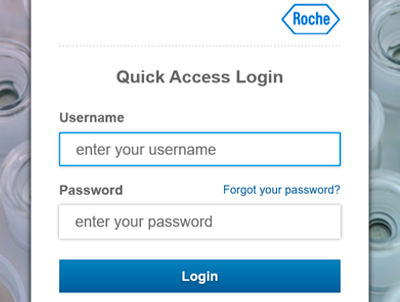
ssowindows.jpg


4. If you run into problems, please submit a ZenDesk ticket here. 


  • Facebook
  • Twitter
  • LinkedIn
Was this article helpful?
5 out of 6 found this helpful

Have more questions? Submit a request

Return to top

Related articles

  • iOS: Log in via iPad/iPhone app
Global Marketing