Be sure you download the App for your iOS mobile device here before proceeding with the following login steps:
1. Locate and tap the App icon on your device.

2. Tap the orange "SIGN IN" button.

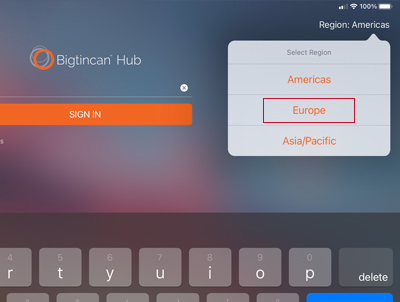
3. In the upper right corner select "Region: Europe"
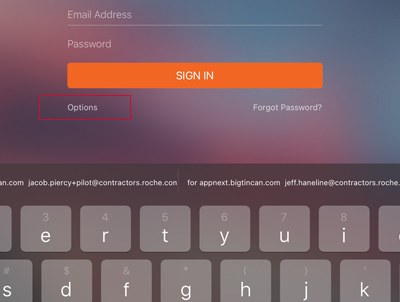
4. Under the "SIGN IN" button, select "Options"
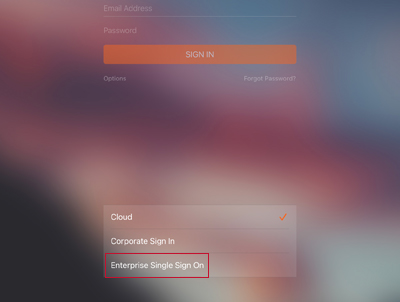
5. Select "Enterprise Single Sign On"
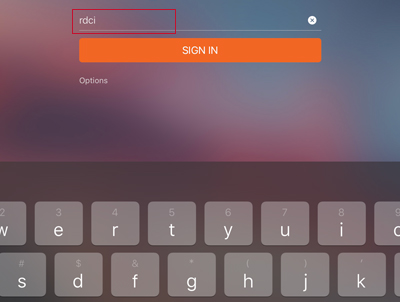
6. Type in the Company Identifier as "rdci" and press "go"
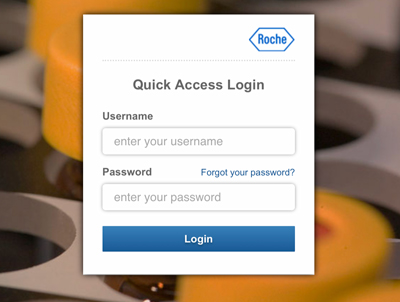
7. Type in your Roche Single Sign On Username and Password. Press "Login"
8. If you run into problems, please submit a ZenDesk ticket here.