1. First, log into the Admin Portal for Engage Pro Learning. For detailed instructions, please read this article.
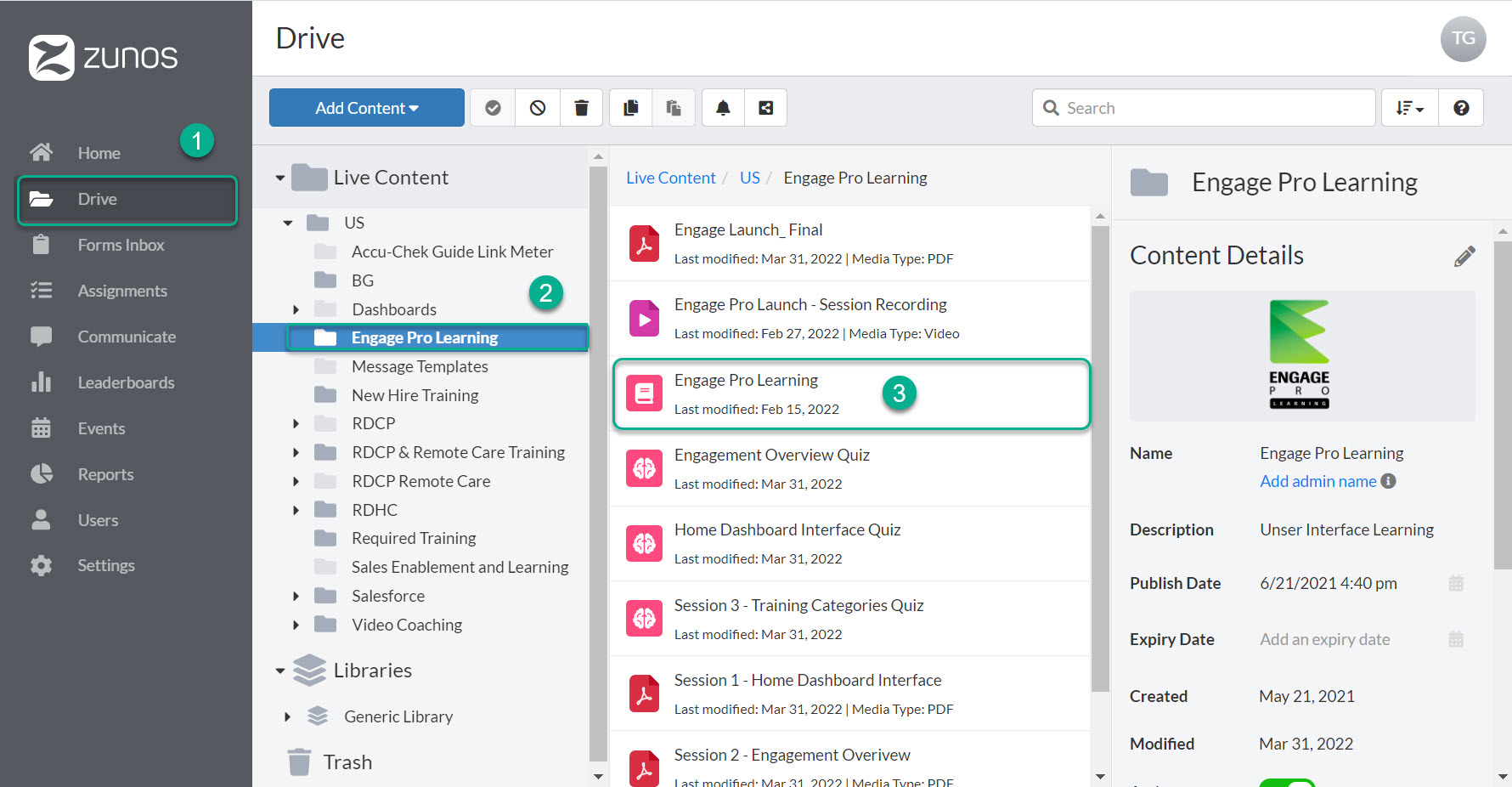
2. Next, select "Drive" and navigate to the course that you would like to complete on behalf of a user(s). Click on that course.
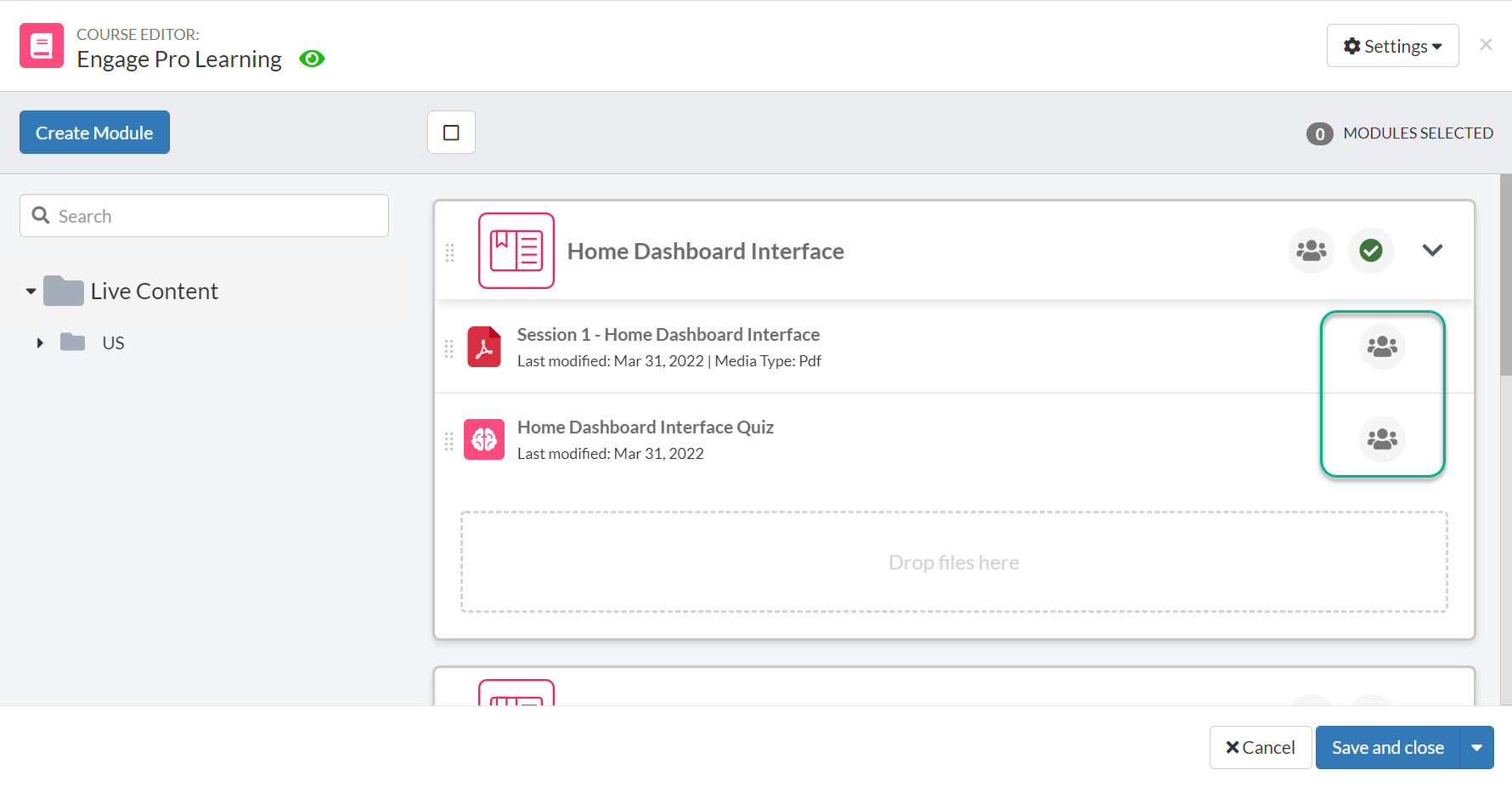
3. Once you are in the "Course Editor", select the icon, with three people on it next to content that you would like to edit the status of on behalf of a user.
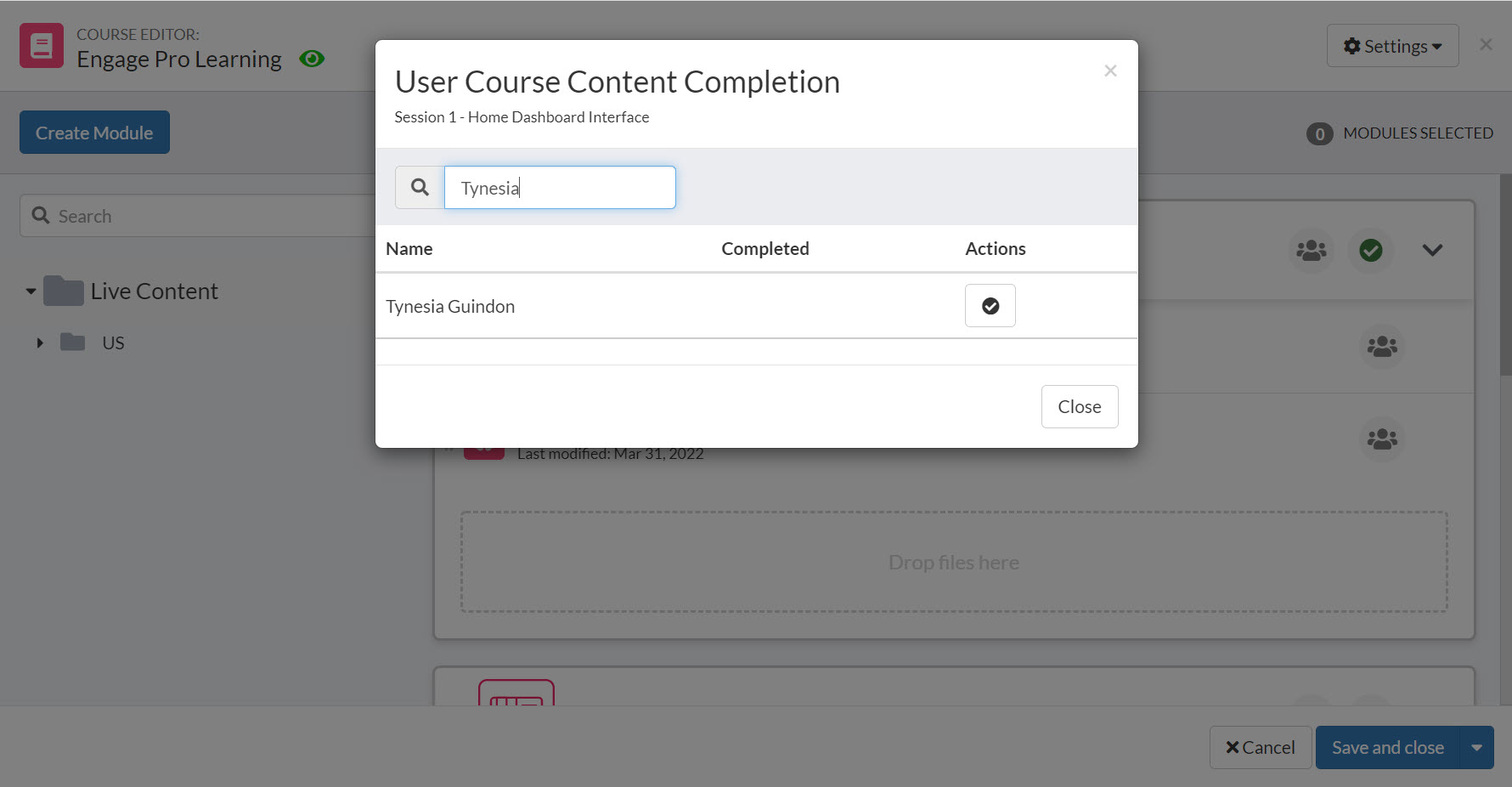
4. Search for a user to find content that you would like to mark as complete or incomplete.