Follow the steps below to log into the front end (end-user view) Bigtincan Learning portal.
1. Follow the instructions in this article to log into the Bigtincan Hub.
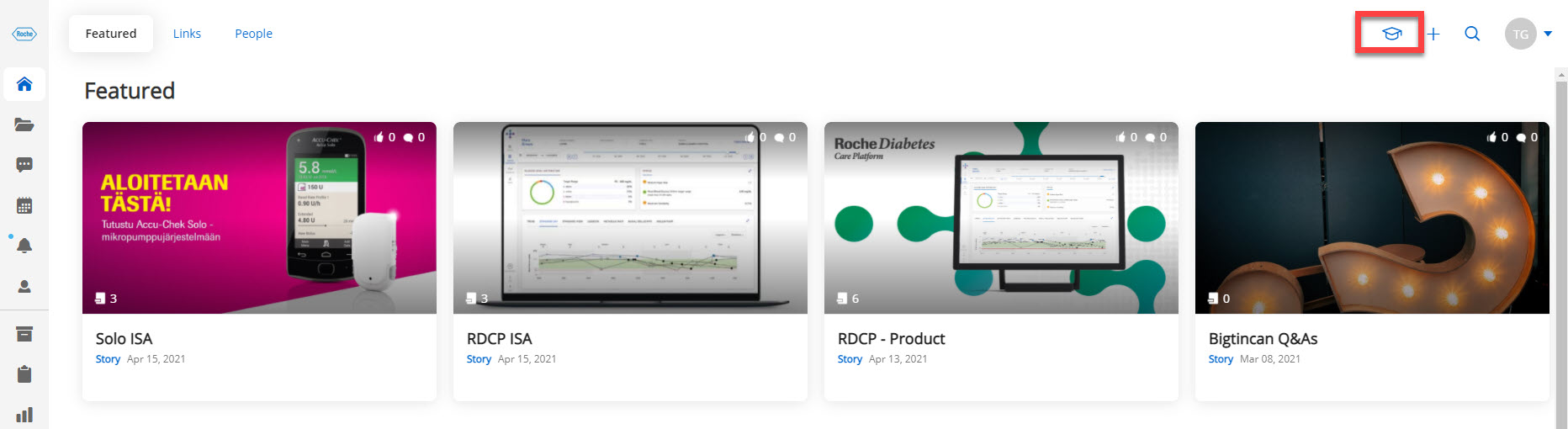
2. Once you are logged into the Hub, click on the Learning Hub icon (graduation cap) to access the front end of the Learning tool. (This view will allow you to see what end-users/sales reps will see when logging into the portal.)
Follow the steps below to log into the admin portal of the Bigtincan Learning portal.
1. Follow the instructions in this article to log into the Bigtincan Hub.
2. Once you are logged into the Hub, click on the Configuration icon (gear icon) to access the Admin Portal of the Bigtincan Learning tool.
3. Next, click on the Learning icon.
4. Select the Structured Learning option.
5. Lastly, click on the blue Sign-In button on the right side of the screen to log into the portal.