|
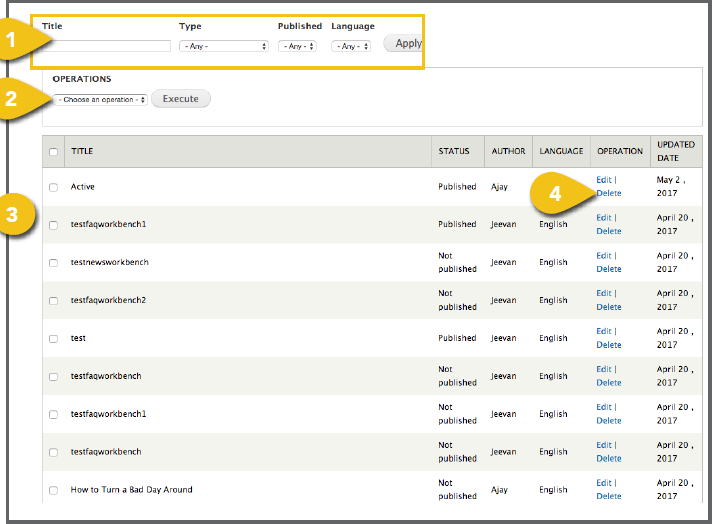
Expand the Menu option at the top of the browser window, and click Manage Content 1. Search or Filter: Enter information in one or more of the fields and click Apply to quickly find content. a. Title: Enter a portion of a page or article b. Type: Select the template type to narrow c. Published: Find live or pending content. d. Language: Select the language applicable 2. Operations: Select one or more pages using 3. Page Listing: Pages are listed in the order they have been updated, with the most recently updated pages appearing first. 4. Edit and Delete Options: You may click Edit or Delete to the right of any individual ! Any time you edit content, be sure to scroll to the bottom of the page to preview your changes and save or publish before moving on. |
 |