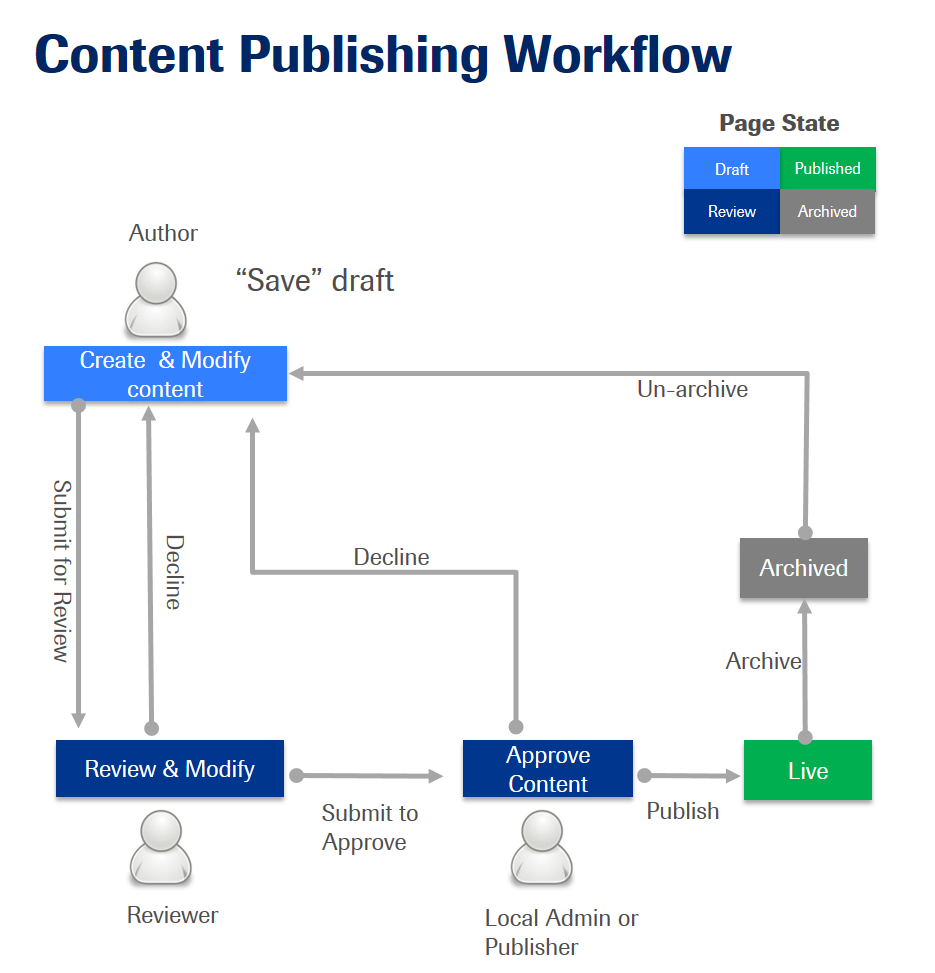
The moderation feature in WCMS allows Admin Portal users to move content through a workflow in order to minimize the instances in which unapproved content gets published to a live Accu-Chek website.
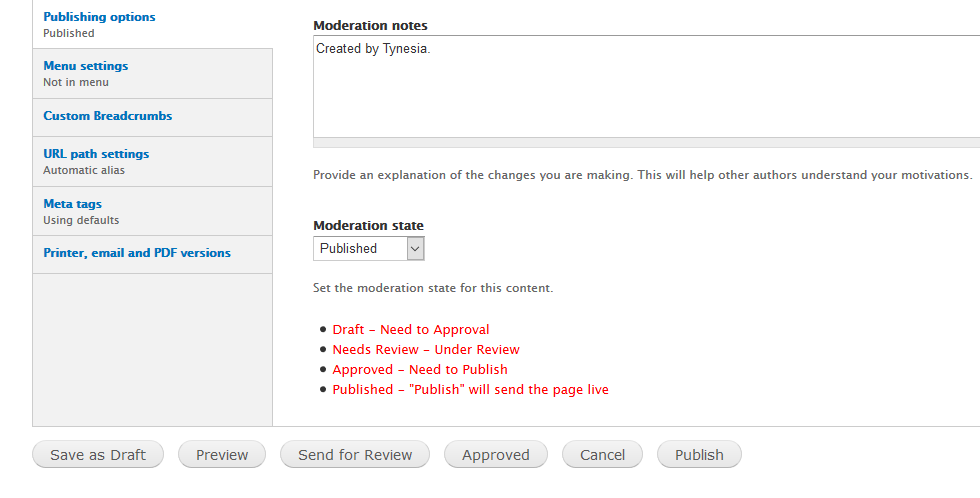
Depending on your role in the Admin Portal, (Author, Reviewer, Publisher or Local Admin) you will have access to certain aspects of the moderation workflow. Read a description of the workflow below to gain an understanding of the way in which roles impact moderation privileges.
- The role of an Author will have access to create content.
- Until the Author submits the content, it will be in Draft state. After submission by an Author, content will be in the Review state.
- The Reviewer will review the content and assign it to a Publisher or Local Admin.
- The Local Admin or Publisher will be able to publish the content by putting it in the Published state.
- If there is a decline in the process, the content will be sent back to the Author, and will be put back into the Draft state.
- If a Publisher also has Reviewer permissions, content can be published directly by the Publisher.
- When a page is live, the page should NEVER be deleted. Instead, the Admin should set the page to a status of Archive.
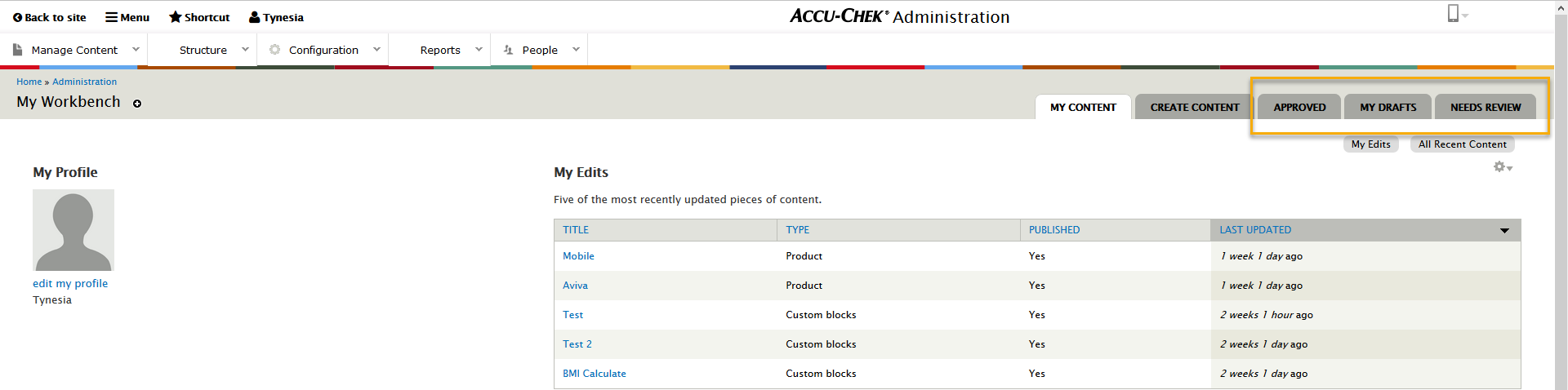
In order to see the content in the stages of the moderation workflow, review the tabs in the Workbench landing page.
Note: If you are having trouble with deciding what access should be given to a specific user, please contact our team via the support form.