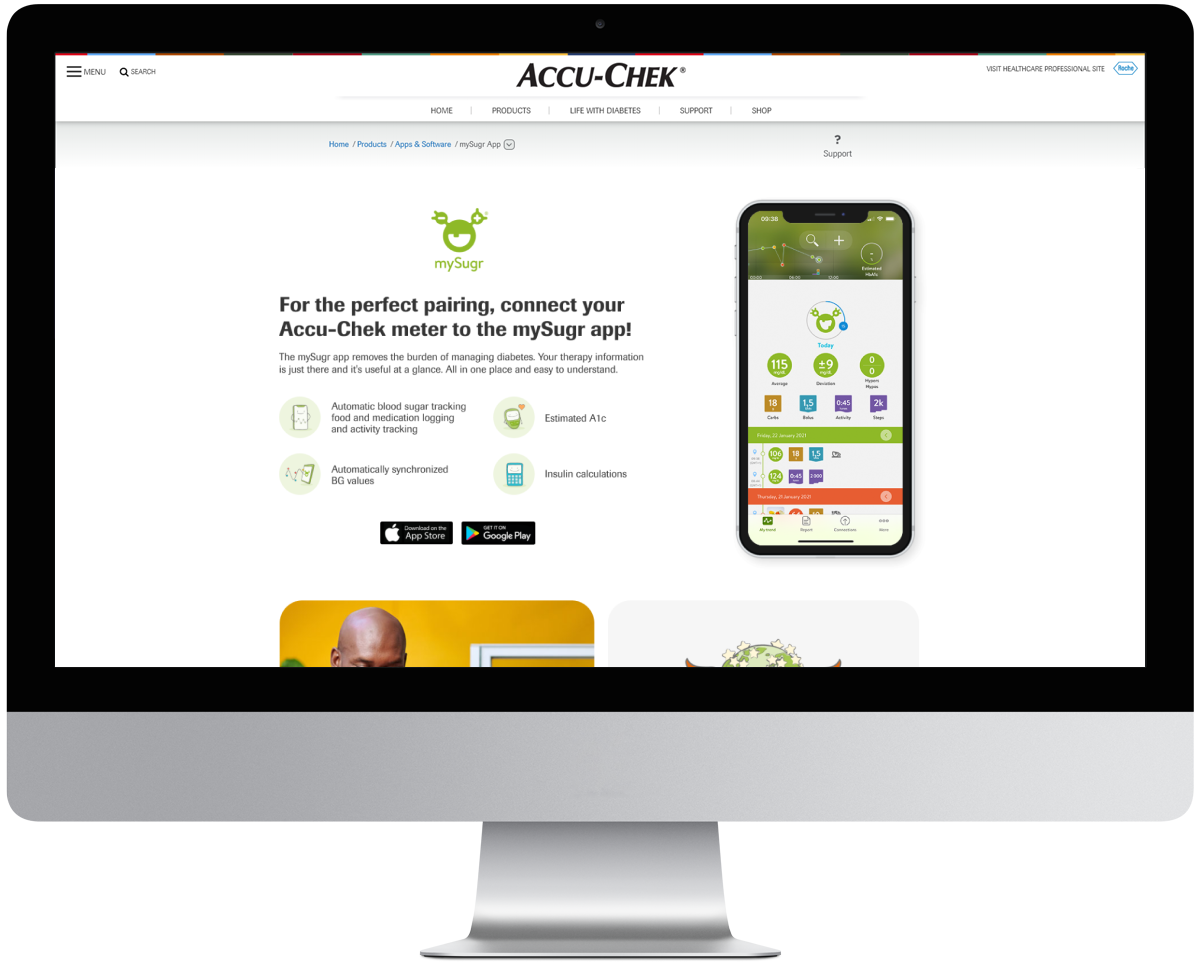
Are you getting the most from the mySugr page on your Accu-Chek website? Your colleagues in Global Marketing Services (in collaboration with mySugr) outline best practices and offer help in getting your localized mySugr page up to speed. We've even created a best practice design template to help you launch a great mySugr page quickly and efficiently!
Best Practices
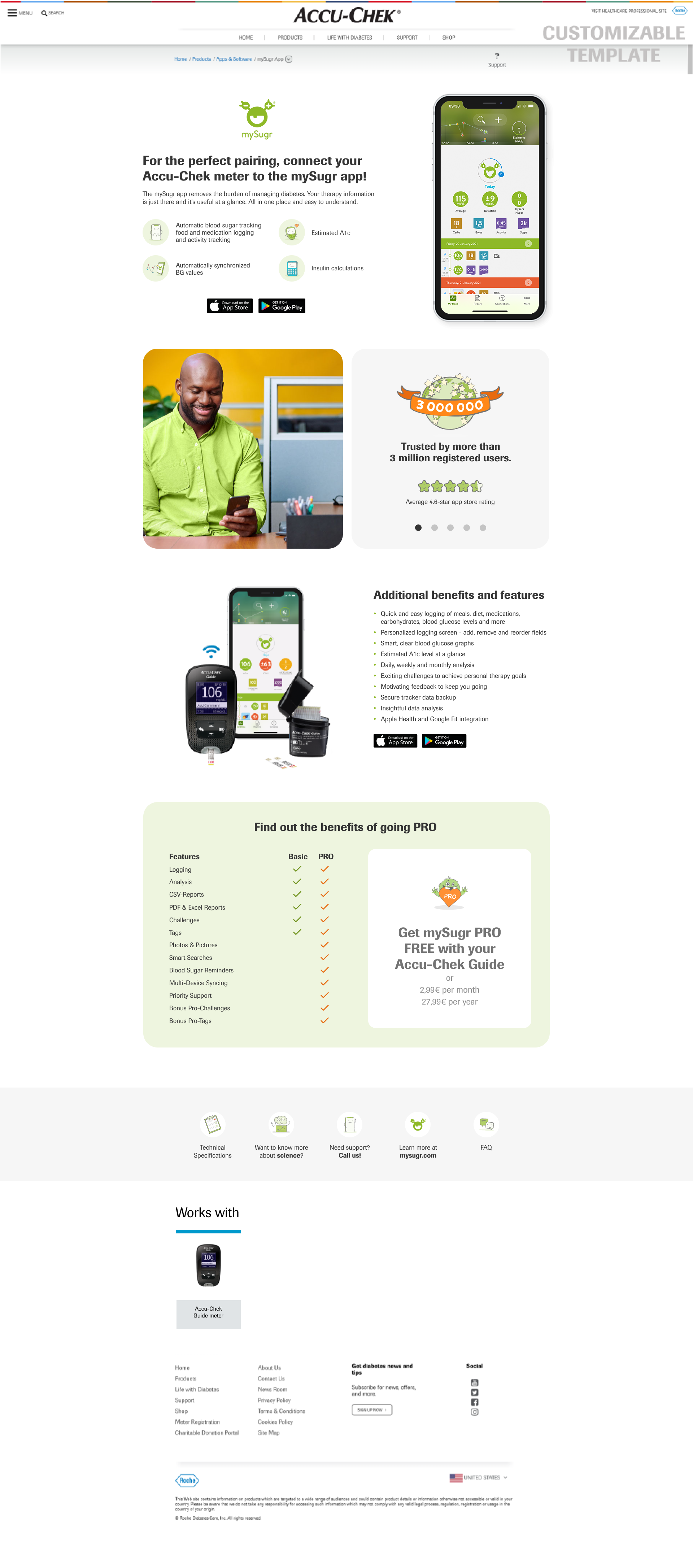
Top (hero/carousel) area should include:
- mySugr green color (hex #8EB927)
- mySugr black (myMidnight #343434)
- mySugr dark grey (myTwilight #737373)
- mySugr grey (myGray 90 #F6F6F6)
- mySugr light green (myBrand 85 #EEF5DF)
- mySugr logo with the trademark (monster+wordmark)
- Tagline: “Make diabetes suck less” in Brandon Text font
- Headline
- Subhead and/or short description
- CTAs: download links to App and Play stores with tracking via Adjust app tracking tool
- Image of phone/app (modern phone)
Center area should include:
- List of benefits and features
- Approved mySugr illustrations (more consistent with mySugr style than only stock photos, although photos can be used in addition to illustrations)
- Image/s of mySugr and meter/s together (explains why a mySugr page is on an Accu-Chek site)
- Link to “technical specifications” page (only for technical info on compatibility, data, OS, etc.)
Bottom area should include:
- A link to mySugr.com for more information
- Link to the technical specification
- Link to the mySugr science and research page
- Link to support contact
- Link to the mySugr FAQ section
- “Works with” section with links to all compatible meters
- Standard footer
General Accu-Chek site considerations:
- "mySugr app" should always be included in the main menu (in app/software area)
- mySugr should always be linked in the bottom “works with” area of compatible product pages
- mySugr would ideally have a presence on the homepage
- mySugr would ideally have a presence (e.g. blurb and/or photo showing meter and mySugr together) on compatible product pages
- Accessibility should be considered throughout (adequate contrast and readable text for the visually impaired)
Best Practice Design Template (now available through WCMS)
If you would like help updating your mySugr page, please contact us via the Affiliate Support Desk.