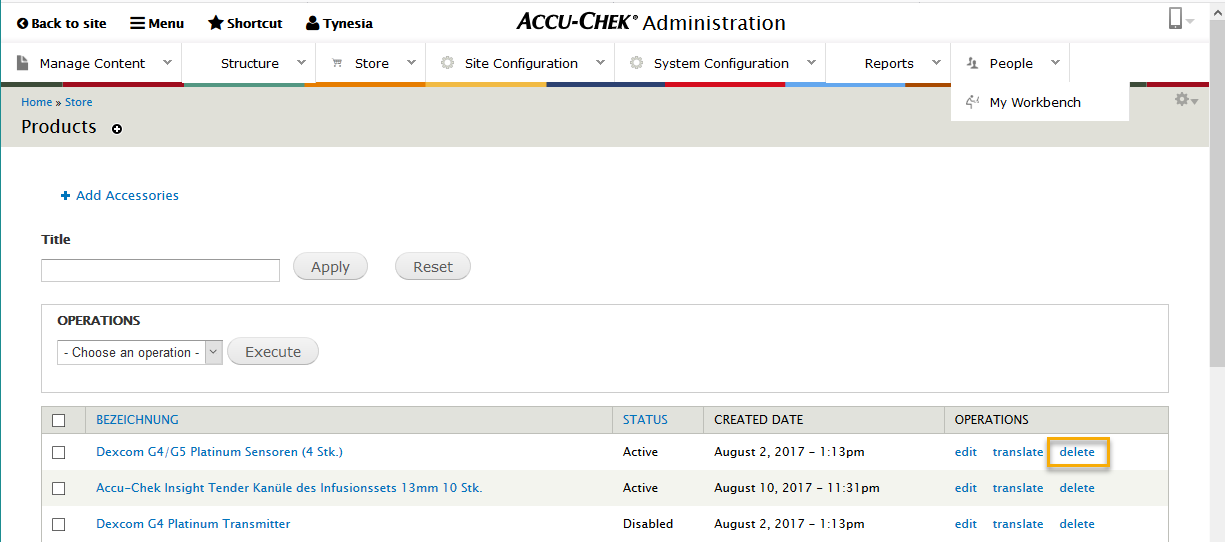
If you want to remove a product from the live site, there are two options. You can change the status of the product to Disabled or delete the product. We recommend changing the status to Disabled so that you can reference that product information, if needed, at a later time.
Disable a Product
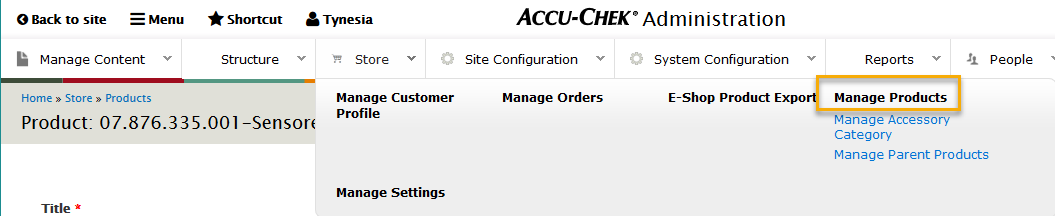
1. Go to the Store menu and select Manage Products.
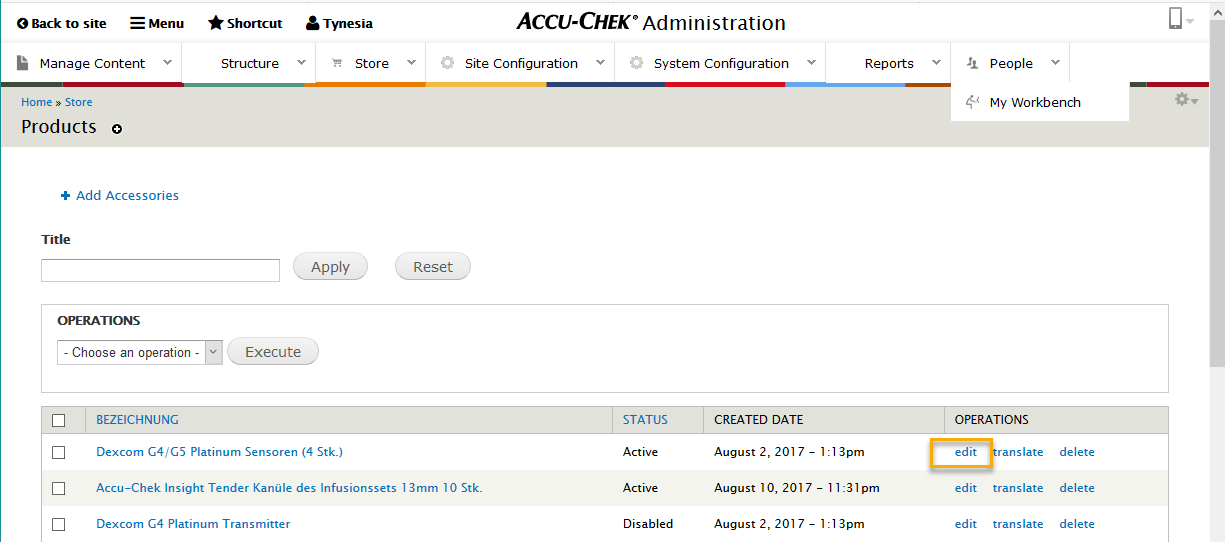
2. Click the Edit link next to the product that you would like to disable.
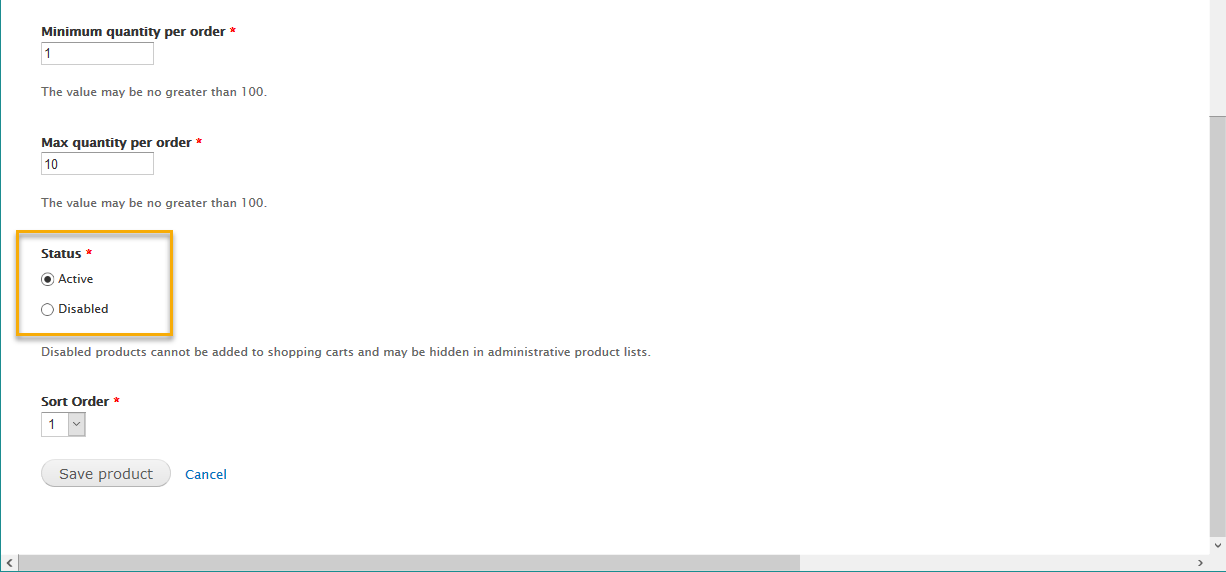
3. Scroll to the bottom of the product template and select the Disabled option. Click Save Product.
Delete a Product
1. Go to the Store menu and select Manage Products.
2. Click the Delete link next to the product that you would like to permanently delete. This cannot be recovered.