If you would like to link to certain sections of content within one page of content, please read the instructions below. (This is applicable for content types like the Article and Basic templates.)
Create an Anchor
1. Highlight the text that you would like to make an anchor and click the Anchor icon.

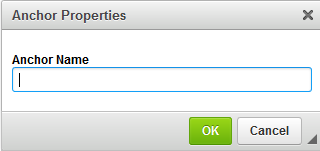
2. The Anchor Properties box will appear. Name this Anchor so that you can easily find and link to it later. Click OK.
Link to an Anchor
1. Highlight the text that you would like to use to link to an Anchor.
2. Click the Hyperlink icon.

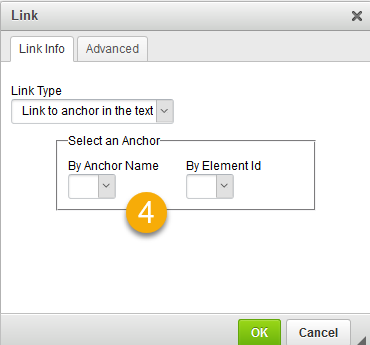
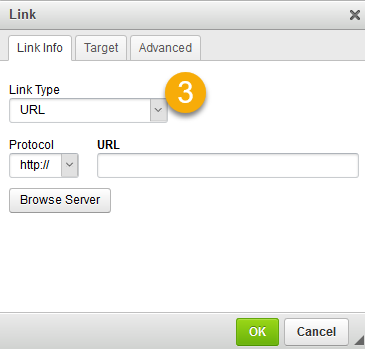
3. A pop-up window will appear. Click the Link Type field and select the Link to Anchor in the Text option.
4. Click the By Anchor Name field and select an Anchor Name. Click OK.