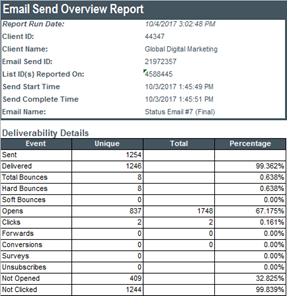
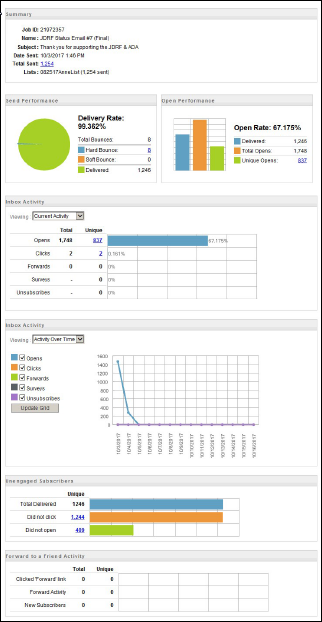
Tracking reports are an aggregated collection of data that allows you to view critical elements such as email opens, clicks, undeliverables, and other metrics.
You can export individual send reports in the form of a PDF or an Excel file.
- Go to Email Studio.
- Hover over Tracking and select the Reports dropdown

- Select the name of the email you want to run a report for under My Tracking.
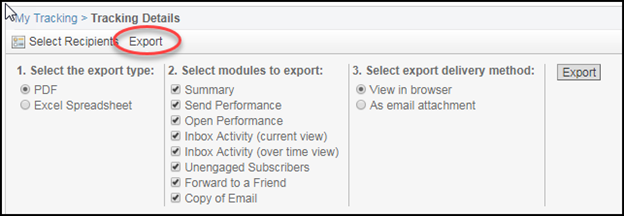
- Select the Export option under Tracking Details (Overview tab), and choose the Export Type, Modules to Export and Delivery Method. Hit the Export button.
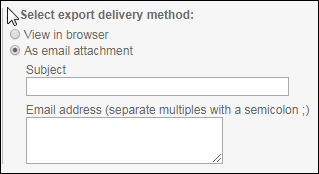
If you select to have your report emailed, you will receive an option to enter a subject and your email address after clicking the “As email attachment” toggle button under delivery method.
PDF vs Excel Spreadsheet:
Exporting as an excel spread sheet provides you raw, unrounded data, whereas the PDF option presents data in a modular graphical interface.
|
Spreadsheet Report:
|
PDF Report: |